Plugin Manager
Find slow plugins. Update without the risk.
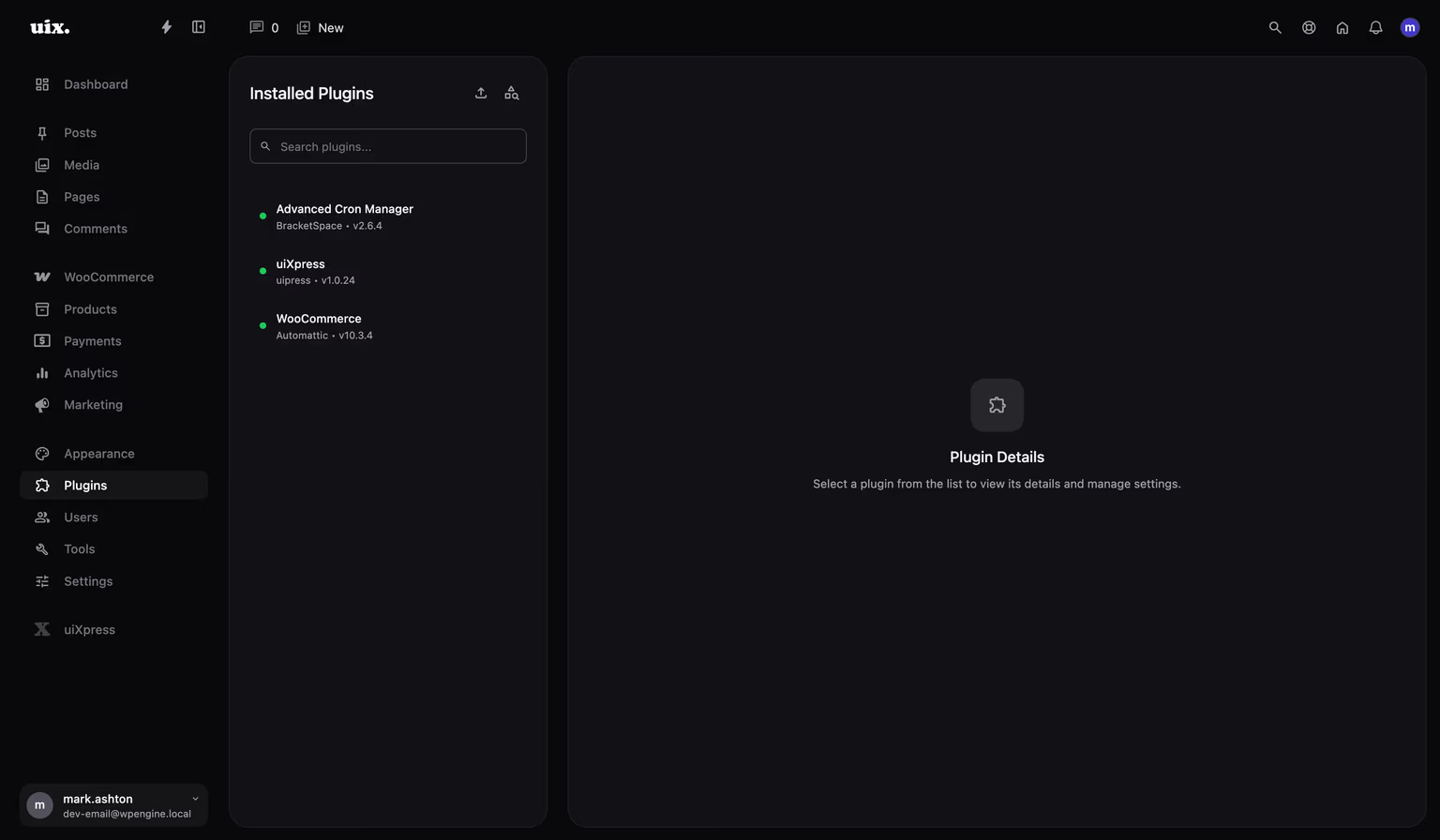
See exactly what each plugin costs your site, manage updates from one modern workspace, and recover in one click when something goes wrong.
14-day money-back guarantee. No performance impact.
Plugins
Front + admin
performance profiling
1 click
version rollback
Every update
protected automatically
Automatic
fatal-error recovery
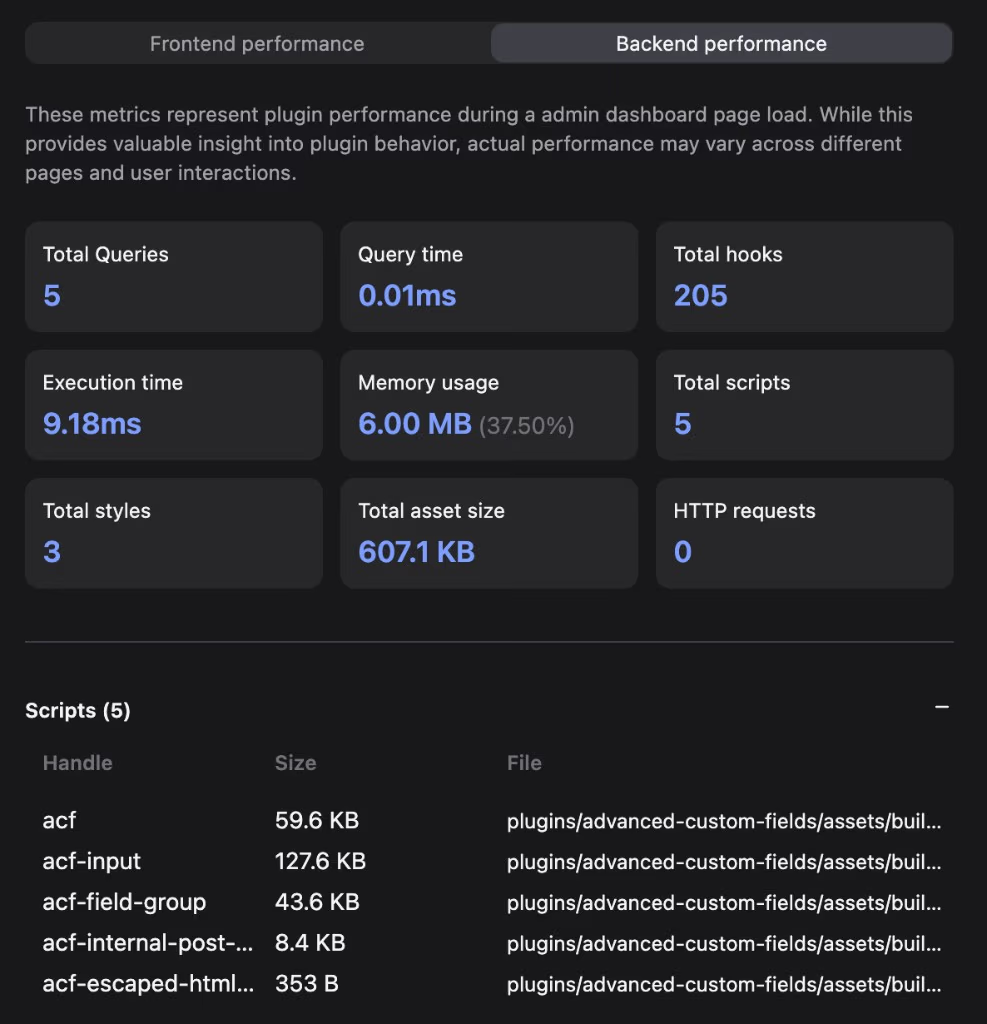
Know which plugin is slowing you down.
Compare frontend and WordPress admin impact by execution time, memory, database queries, hooks, scripts, styles, asset sizes, and HTTP requests. Replace guesswork with evidence before you deactivate anything.
uiXpress interface
Update confidently, with a way back.
uiXpress keeps the previous plugin version during manual, automatic, bulk, REST, and ZIP updates. Roll back in one click, or let fatal-error recovery restore the working version automatically.
Capabilities
Everything you need to manage plugins
One focused workspace
Keep your plugin list, status, version, details, and actions visible without jumping between screens.
Search WordPress.org
Browse, inspect, and install repository plugins without leaving the manager.
Install ZIP packages
Upload premium and custom plugins with validation, progress feedback, and clear error handling.
Handle plugins in bulk
Activate, deactivate, update, and delete multiple plugins in fewer steps.
Protect every update path
Retain a known-good version whether an update runs manually, automatically, in bulk, via REST, or from a ZIP.
Recover from failures
Restore a previous version in one click and automatically recover updates that trigger immediate fatal errors.
Profile real impact
See frontend and admin costs with query, memory, hook, request, and asset-level breakdowns for active plugins.
A safer plugin workflow
From “the site feels slow” to a confident fix.
Diagnose the problem, make the change, and keep a recovery path available—all inside WordPress.
- 01
Measure the real impact
Profile active plugins across the frontend and WordPress admin to see where time, memory, queries, and requests are being spent.
- 02
Act from one workspace
Update, replace, deactivate, or remove the problem plugin without losing sight of its status, version, and details.
- 03
Recover without the panic
Restore the previous version in one click, with automatic recovery when an update causes an immediate fatal error.
Built for WordPress professionals
A better admin experience for the people who use it every day.
Developers and agencies use uiXpress to make complex WordPress work feel focused, fast, and easier to hand over.
“This extension is a must have for all professional web developers, it offers unlimited possibilities to customize the UI for my clients!”
josefhruby85
Web Developer
“It's amazing what this plugin can do with the WordPress backend. I can say with certainty that this is a high-quality plugin.”
Peter
Developer
“It works fast and has unlimited backend features, before you could only do this on the frontend.”
Ion Iacob
Developer
One plan. The complete toolkit.
Plugin Manager is included with every uiXpress plan.
Start with one site or equip an entire agency. You get Plugin Manager alongside every other uiXpress feature.
- $58
- one-time Starter price
- All
- uiXpress features included
- 14 days
- money-back guarantee
Stop guessing which plugin is causing the problem.
Choose the plan that fits your sites and put safer plugin management to work today.
Common questions
Know what you are getting before you buy.
Straight answers about performance, compatibility, recovery, and licensing.
Does uiXpress replace the normal WordPress plugin screen?
Yes. uiXpress provides a modern plugin-management workspace for installed plugins, WordPress.org search, ZIP uploads, updates, activation, deactivation, and removal.
Will the performance inspector slow down my website?
Profiling is a diagnostic tool you run when you need it. uiXpress is built to avoid adding frontend performance overhead during normal site visits.
Which plugin updates are protected?
Previous versions are retained for manual, automatic, bulk, REST, and ZIP-based updates, so you have a known-good version available when you need to recover.
What happens if an update causes a fatal error?
uiXpress can automatically restore the previous working version when an update triggers an immediate fatal error and notify the site administrator.
Is Plugin Manager sold separately?
No. Every uiXpress plan includes Plugin Manager and the complete uiXpress feature set. Plans start at $58 for one site.
Make plugin problems easier to find—and safer to fix.
Get the complete uiXpress toolkit from $58, backed by a 14-day money-back guarantee.